# Total Quantity Limit
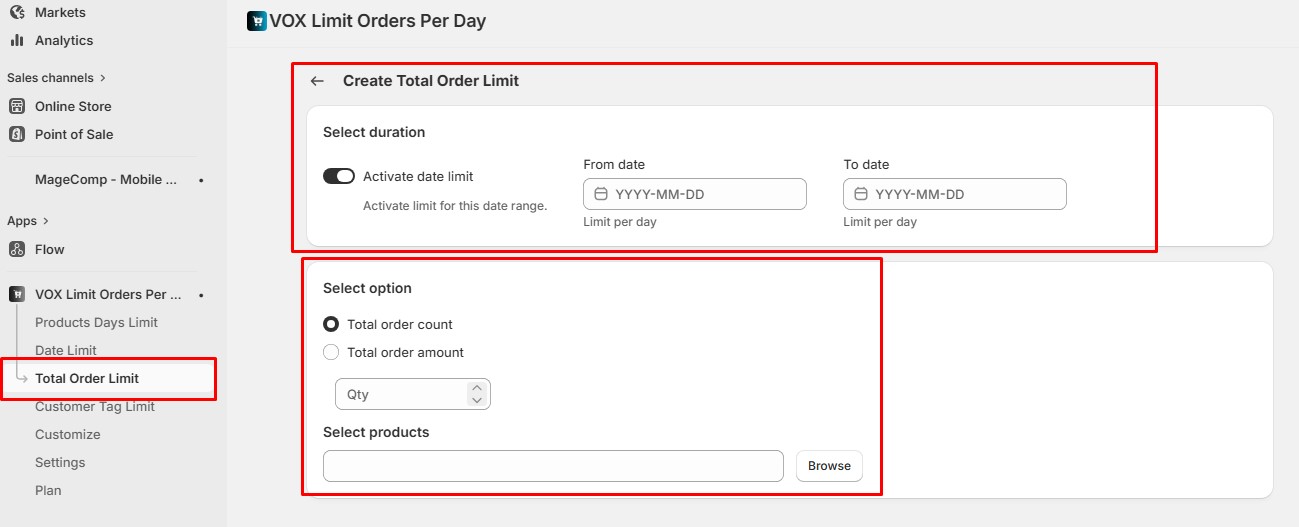
The **Total Quantity Limit** allows you to set a **maximum combined quantity** that customers can purchase from the selected products during the defined date range.
When multiple products are selected, the limit is applied to the **sum of quantities of all selected products**, not to each product individually.
#### How It Works
* Customers can add any combination of the selected products to their cart.
* The system continuously calculates the **total quantity** of all selected products.
* Once the combined quantity reaches the configured limit, the customer **cannot add more units of any selected product**.
#### Example
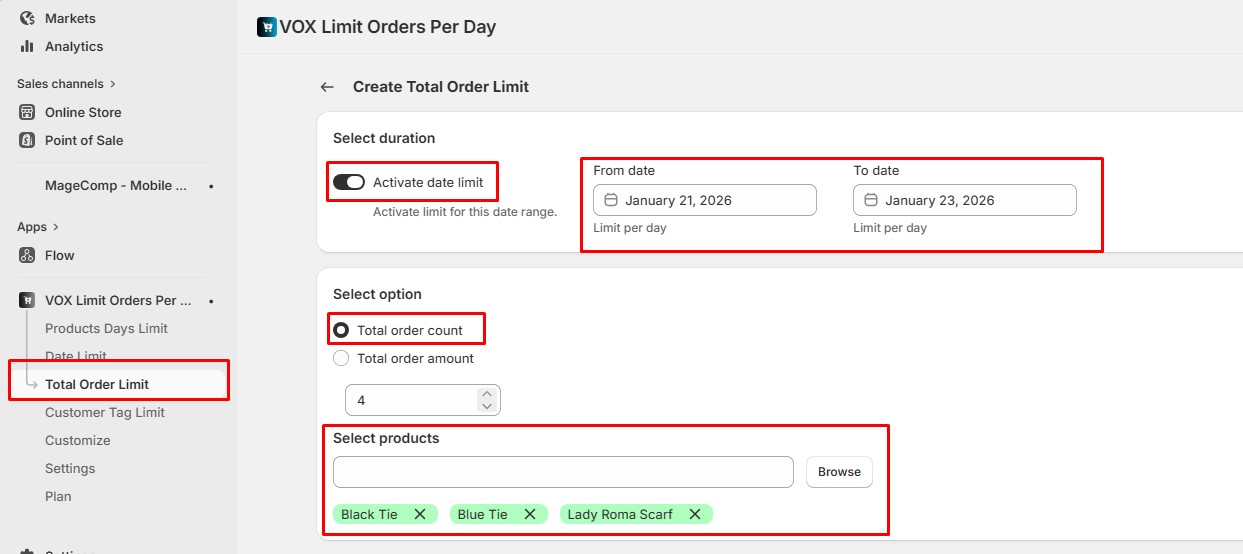
**Selected products:**
* Lady Scarf
* Blue Tie
* Black Tie
**Total Quantity Limit set to:** 4\
**Restriction period:** January 21, 2026 to January 23, 2026
If a customer adds:
* Lady Scarf × 1
* Blue Tie × 2
* Black Tie × 1
**Total quantity = 4**
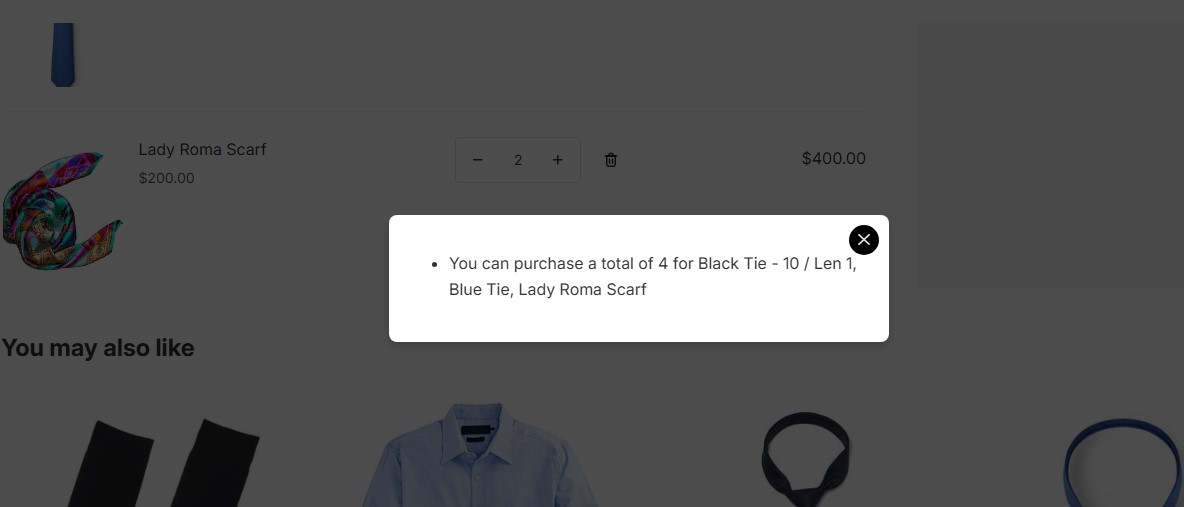
Since the total quantity limit has been reached, the customer will **not be able to add any additional quantity** of Lady Scarf, Blue Tie, or Black Tie to the cart **during the date range from January 21, 2026, to January 23, 2026**.
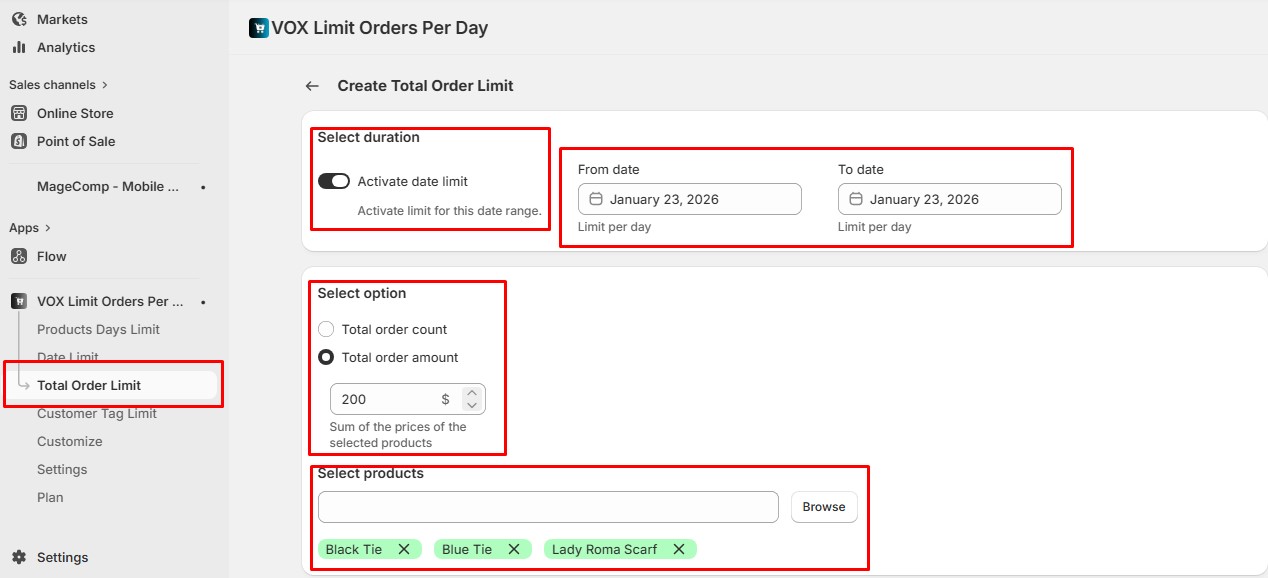
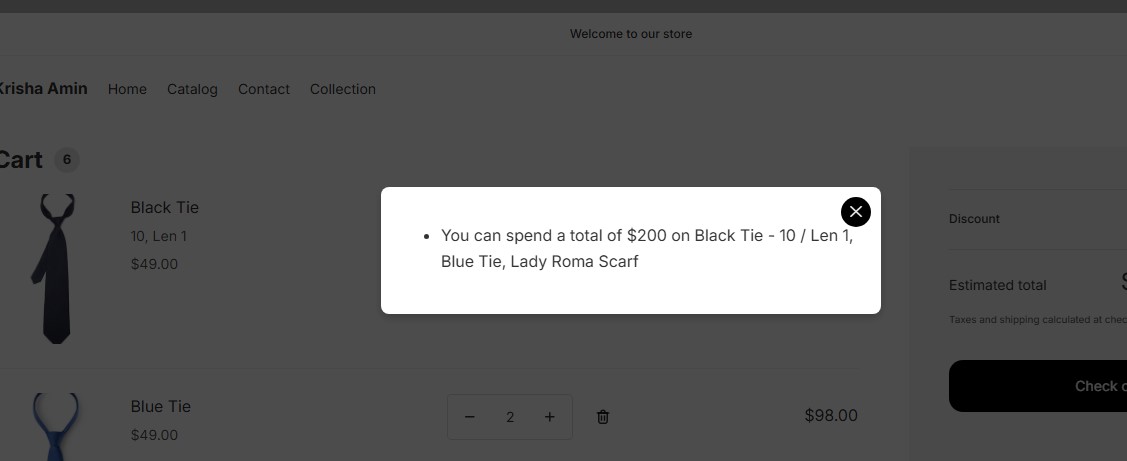
Now, if you want to set limits based on **order amount**, the **Total Order Amount** option allows you to define a maximum **combined purchase value** for the selected products within the specified date range.
When multiple products are selected, the system calculates the **total price of all selected products in the cart**. Once the total order amount reaches the limit you set, customers will **not be able to add any more of the selected products** during the active date range.
#### Example
**Selected products:**
* Lady Scarf
* Blue Tie
* Black Tie
**Total Order Amount set to:** $200\
**Restriction period:** January 21, 2026 to January 23, 2026
If a customer adds:
* Lady Scarf – $60
* Blue Tie – $80
* Black Tie – $60
**Total order amount = $200**
Since the total order amount limit has been reached, the customer will **not be able to add any additional quantity** of Lady Scarf, Blue Tie, or Black Tie to the cart **during the date range from January 21, 2026, to January 23, 2026**.