> For the complete documentation index, see [llms.txt](https://magecomp.gitbook.io/shopify/llms.txt). Markdown versions of documentation pages are available by appending `.md` to page URLs; this page is available as [Markdown](https://magecomp.gitbook.io/shopify/apps/shoplock-login-required/login-restriction.md).
# Login Restriction
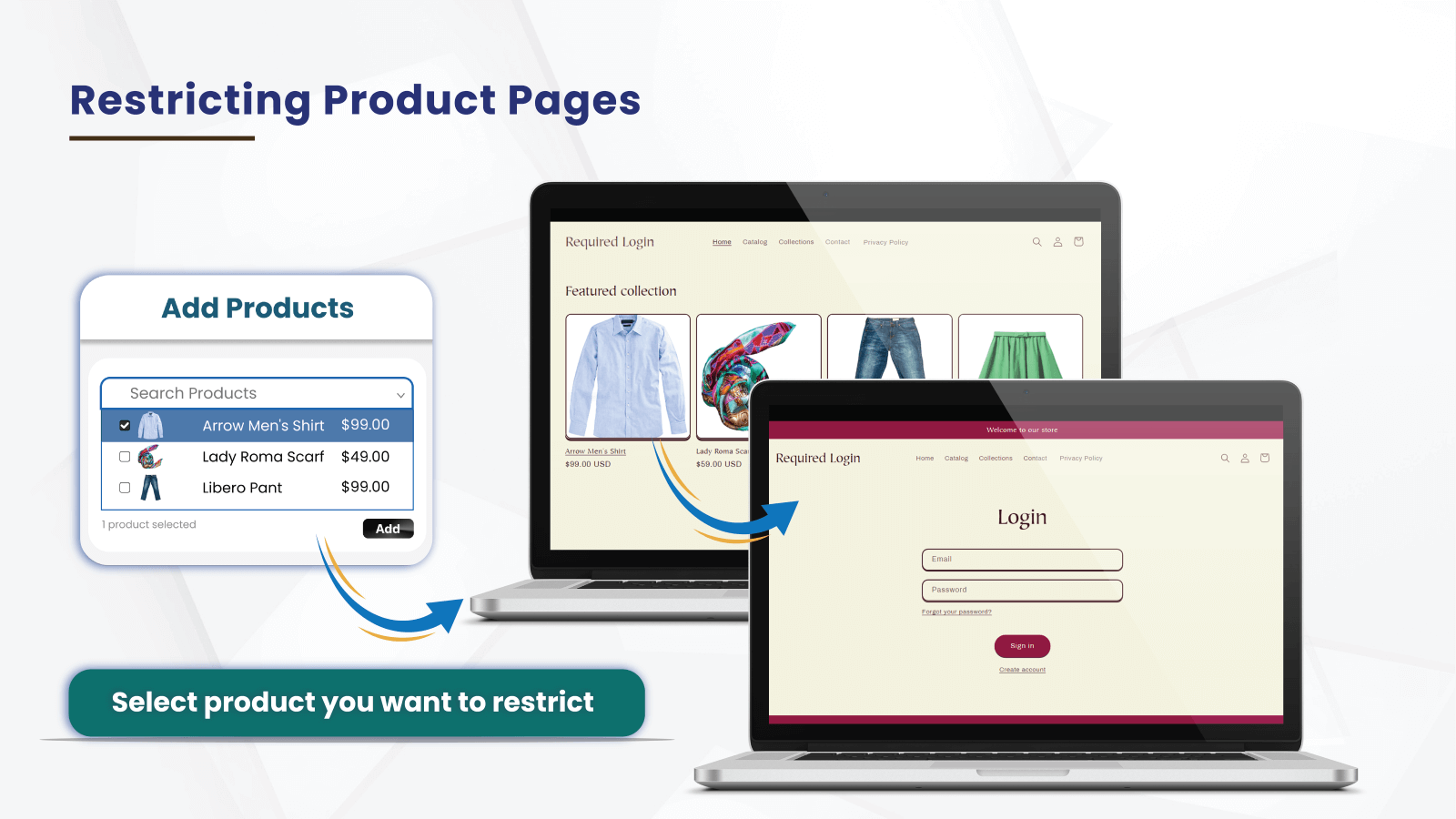
For restricting product pages, follow the following steps.
**Step #1**
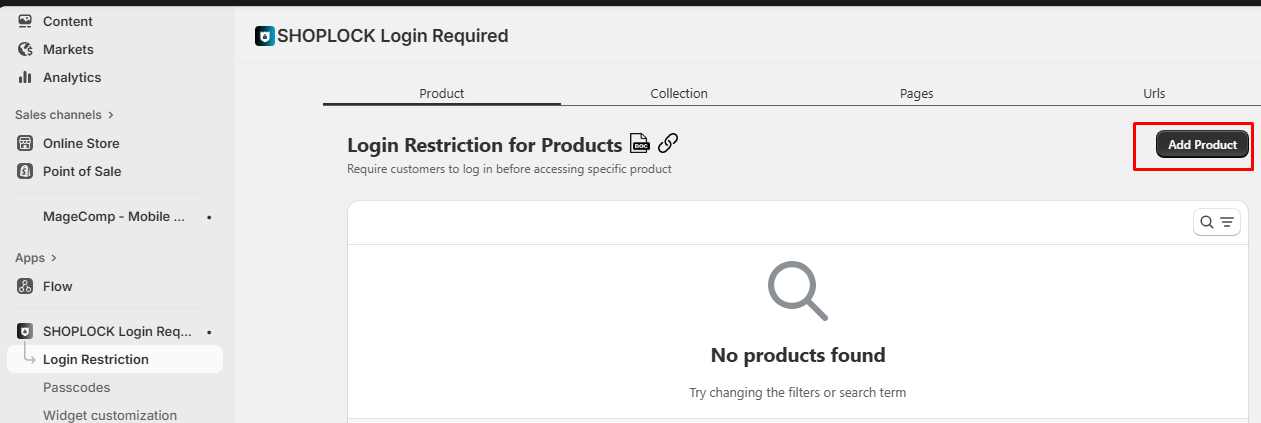
Navigate to the app's backend and go to the **Login Restriction** ➤ **Product** ➤ **Add Product** button.
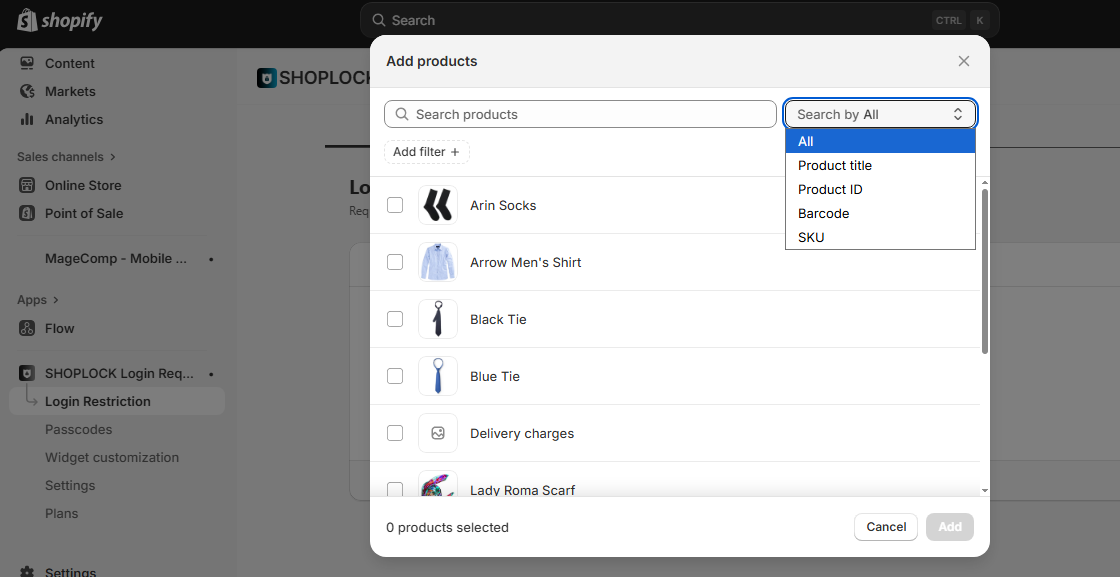
After that, search for the product name you want to restrict, or select the checkbox displayed before the product name & select the add button.
You can also search the products based on **product title, ID, barcode, and SKU.**
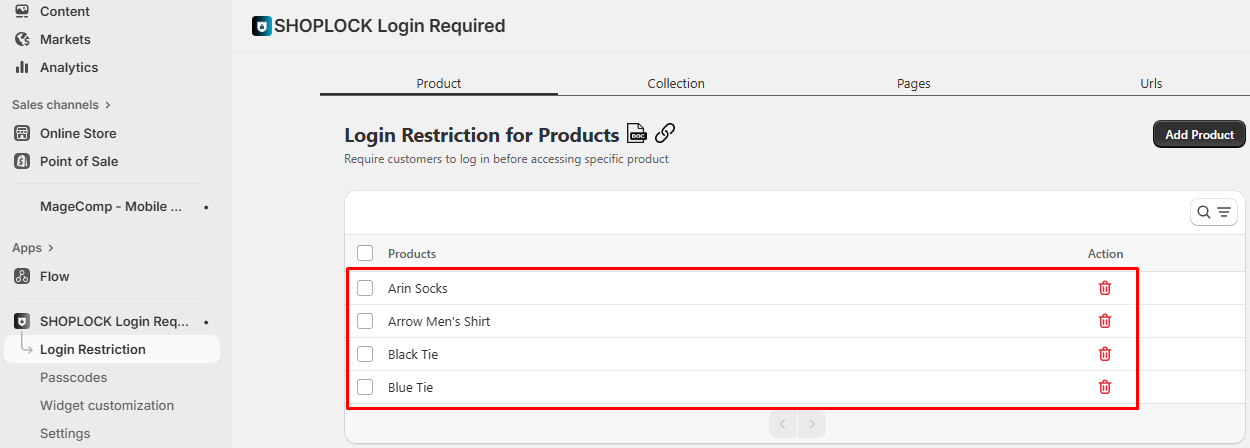
Now, these selected products will be added to the list of **Products** that are restricted.
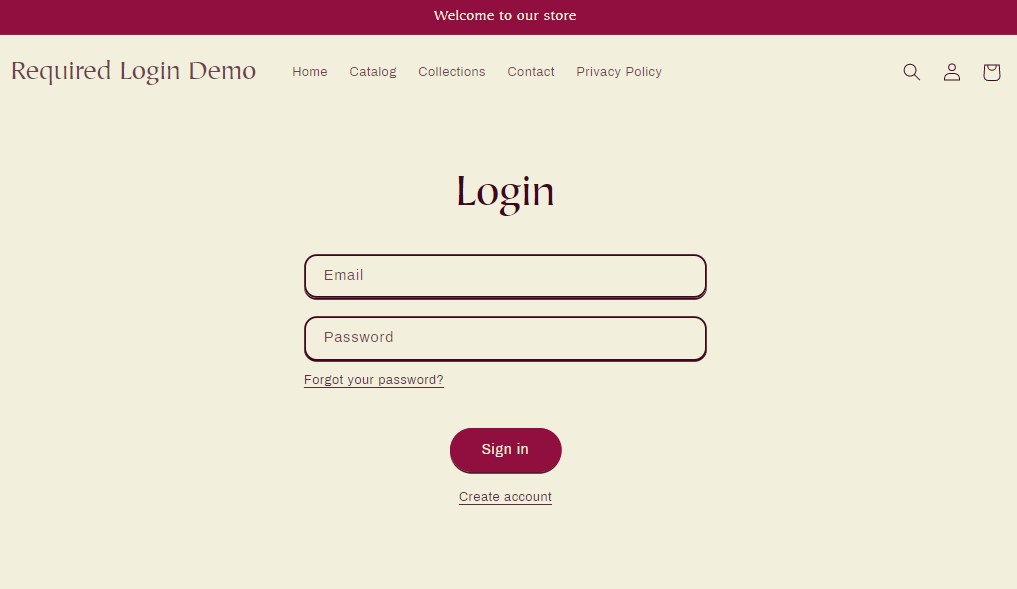
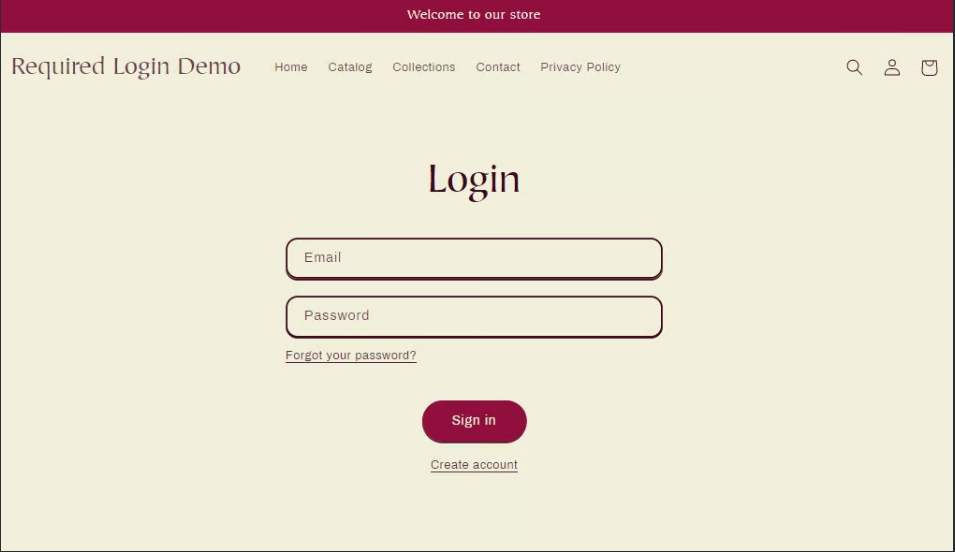
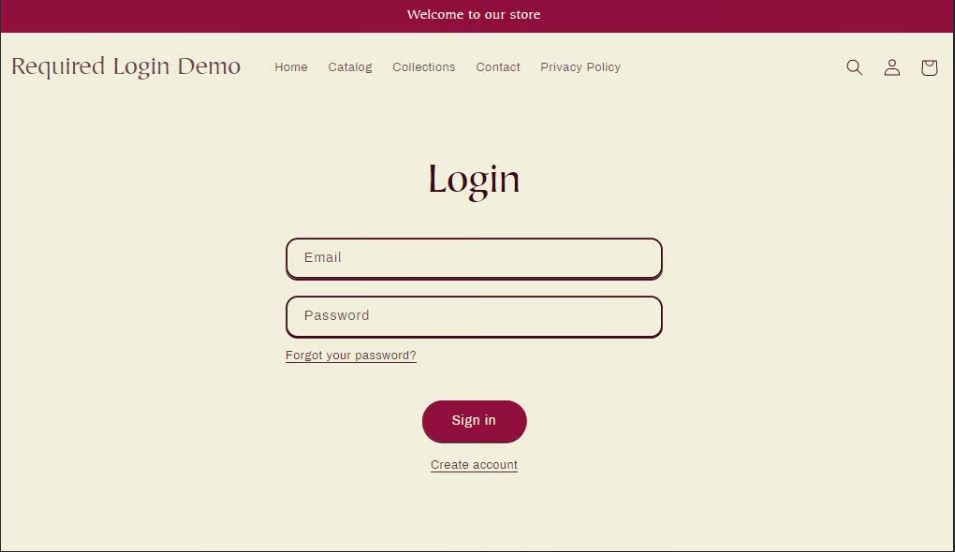
Now, when any guest users try accessing the product, your store will ask them to log in to your store, redirecting them to the **Login Page**.
{% hint style="info" %}
*You can restrict multiple products at once by selecting the product names altogether. Refer to the below image.*
{% endhint %}
By saving this data, the required login will be applied to all the selected products.
## Collections
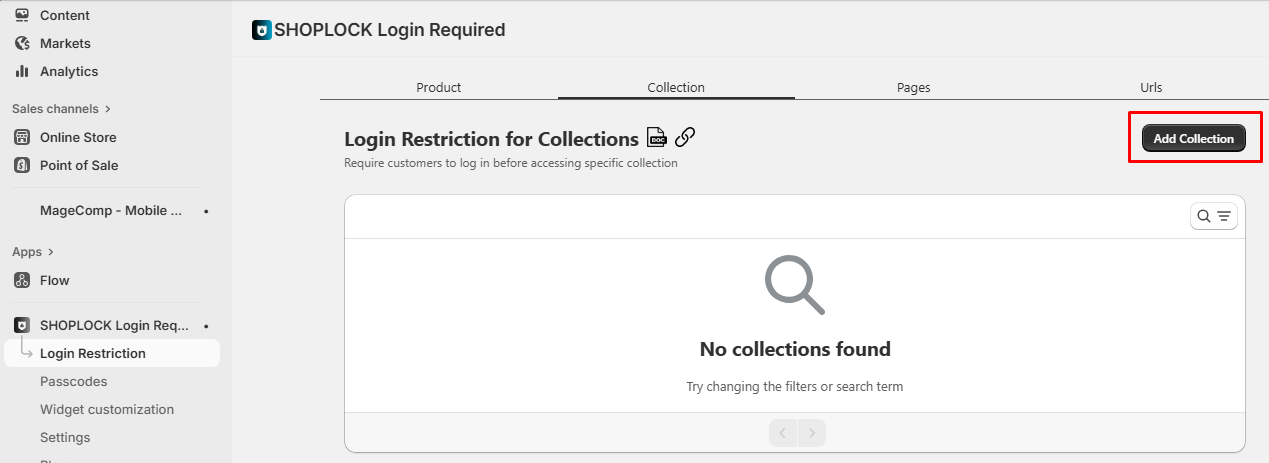
For restricting collections, follow the following steps.
**Step #1**
Navigate to the **Collection ****➤**** Add New Collection** button.
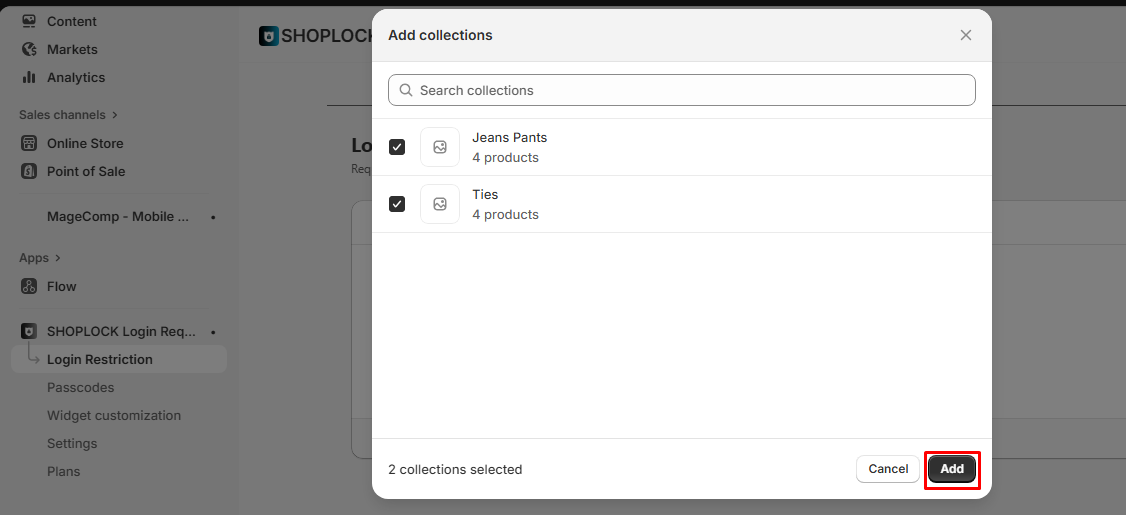
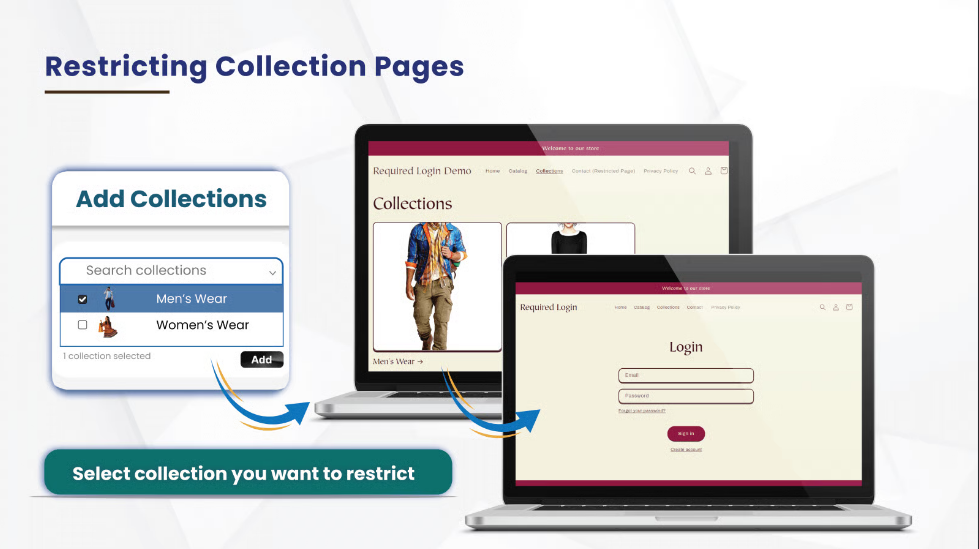
Search for the collection you want to restrict, or select the collections that you want to restrict & save the configuration by clicking on the **Add** button.
Assume that you are adding the collection to the list.
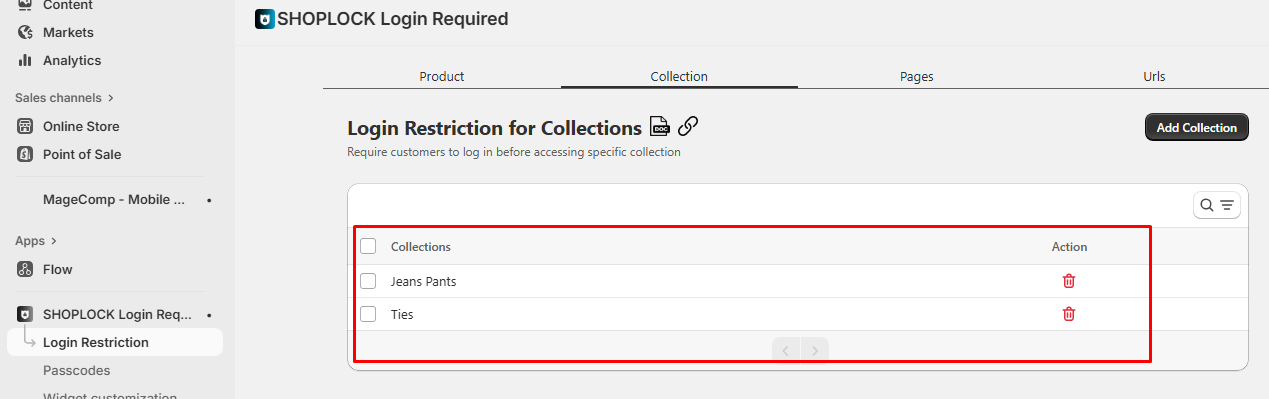
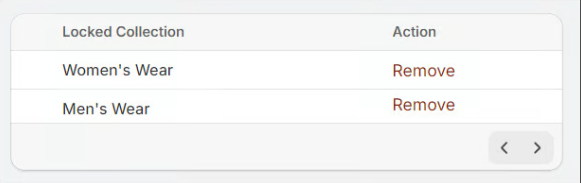
After saving the added collection name, it will be added to the table of restricted collections.
Now, your guest customers will be asked to log in to your store to access the **Jeans Pants** and **Ties** collection.
{% hint style="info" %}
*You can restrict multiple collections at once by selecting the collection names altogether. Refer to the below image.*
{% endhint %}
## Pages
**Step #1**
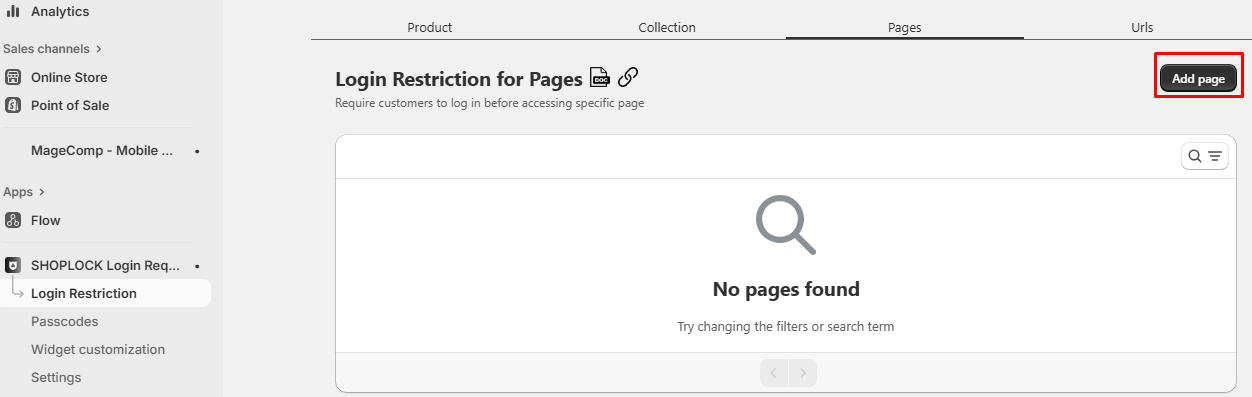
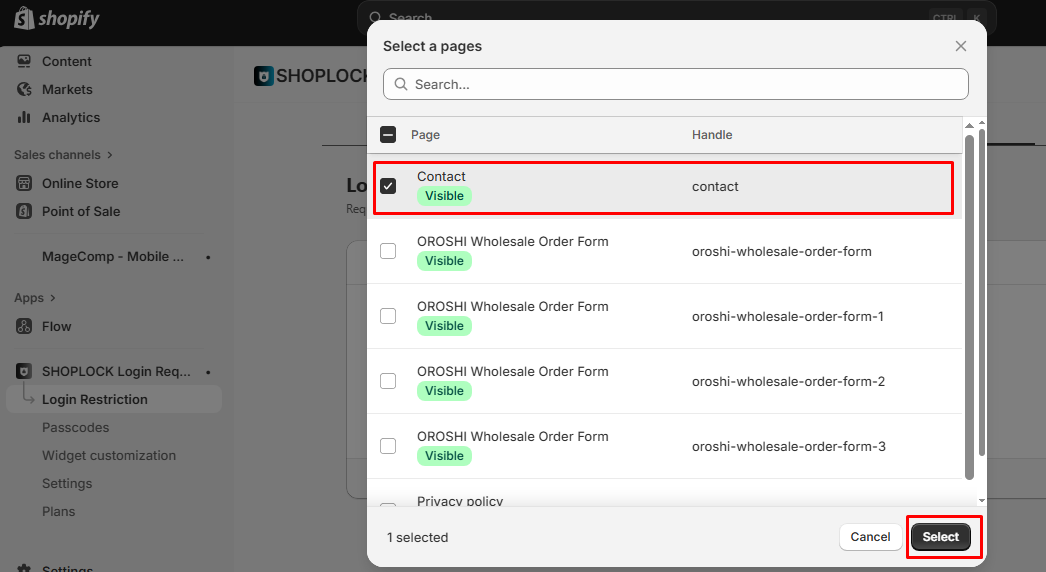
Go to the **Pages** option in your app's backend and select the **Add page** button.
Search for the **Web page** you want to restrict or select the checkbox for the respective page.
For instance, you have selected the **Contact** page & click on the **Select** button.
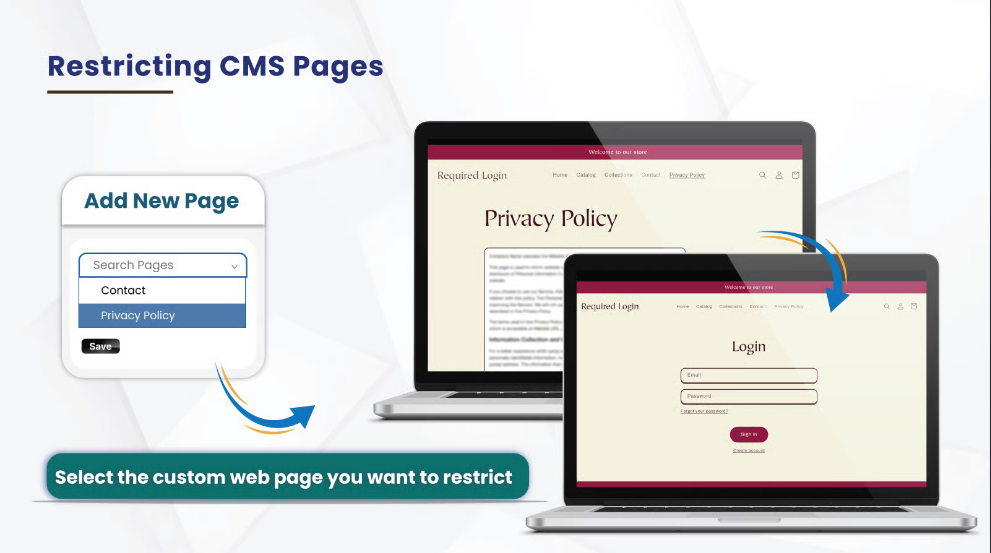
Now, the **Contact** page is restricted. Its entry is inserted into the list of restricted web pages.
Further to this, your guest customers will now have to log in to your website to browse your website's privacy policy.
{% hint style="info" %}
*You can restrict multiple website pages at once by selecting the page names altogether. Refer to the below image.*
{% endhint %}
## URL Restrictions
If you want to restrict a particular URL of your Shopify store instead of a particular page. This functionality allows you to restrict URLs according to your convenience.
**Step #1**
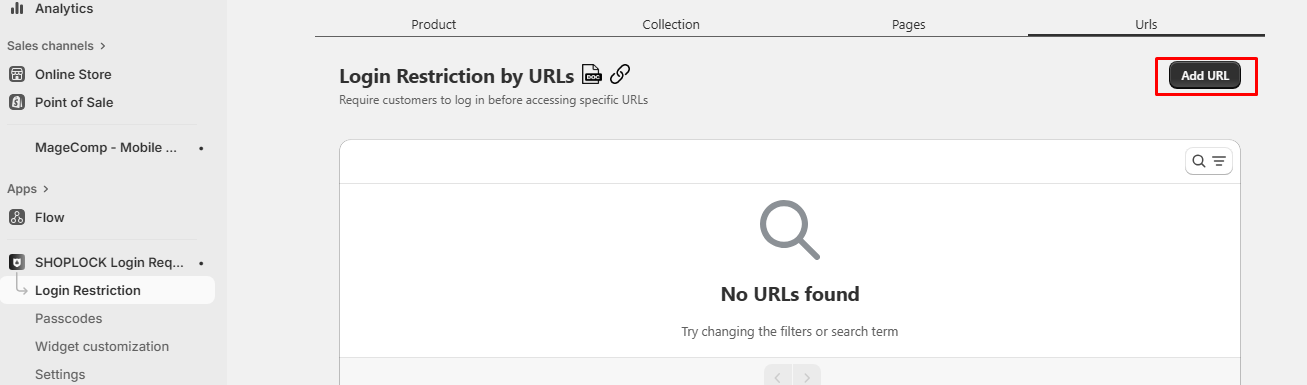
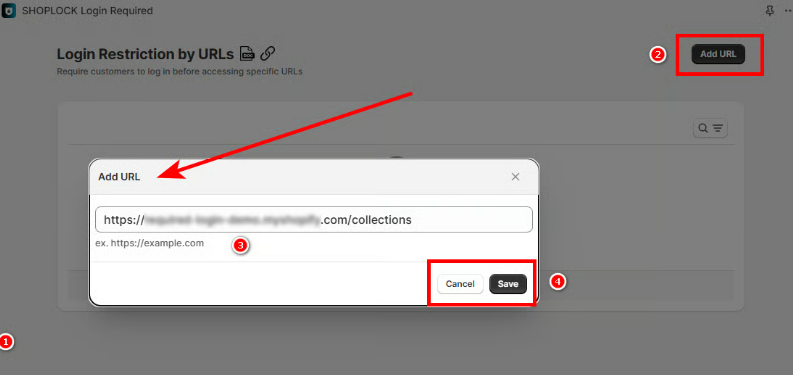
To begin with the configuration of this functionality, go to **URL Restrictions** and enter the URL you want to restrict in the text box.
Select the **Add URL** button to restrict the entered URL.
Your restricted website will be displayed in the list.
{% hint style="info" %}
**Important Information:**
If you have set a passcode for a particular page and also have restricted the page from the URL restriction section, then your **logged-in** customers will be redirected to the passcode popup. Whereas non-registered users will not be able to access the restricted page.
{% endhint %}
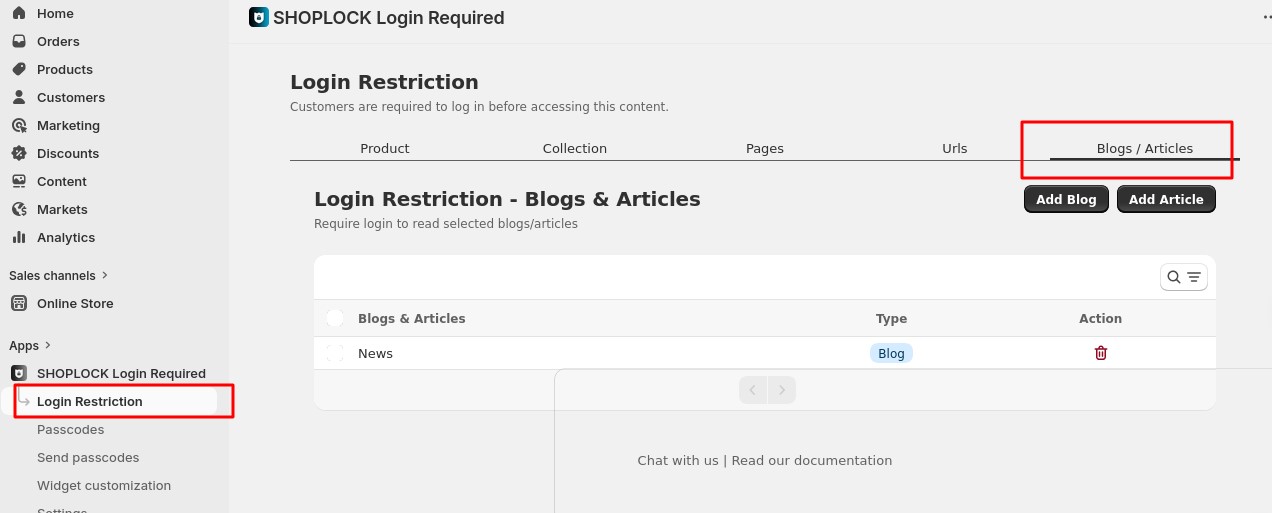
### Blog & Article Login Restriction
With this feature, you can **restrict access to blogs and articles** and make them visible **only to logged-in or authorized users**.
Once enabled, visitors who are not logged in will be prompted to log in before they can view the protected blog posts or articles. This helps you control who can access specific content, such as members-only articles, premium content, or internal resources.
**Key benefits:**
* Protect exclusive or private blog content
* Allow access only to approved or logged-in users
* Improve content security and audience targeting
This feature is ideal for stores offering **membership content, gated articles, or restricted information.**