> For the complete documentation index, see [llms.txt](https://magecomp.gitbook.io/shopify/llms.txt). Markdown versions of documentation pages are available by appending `.md` to page URLs; this page is available as [Markdown](https://magecomp.gitbook.io/shopify/apps/ratify-product-review-app/customization.md).
# Customization
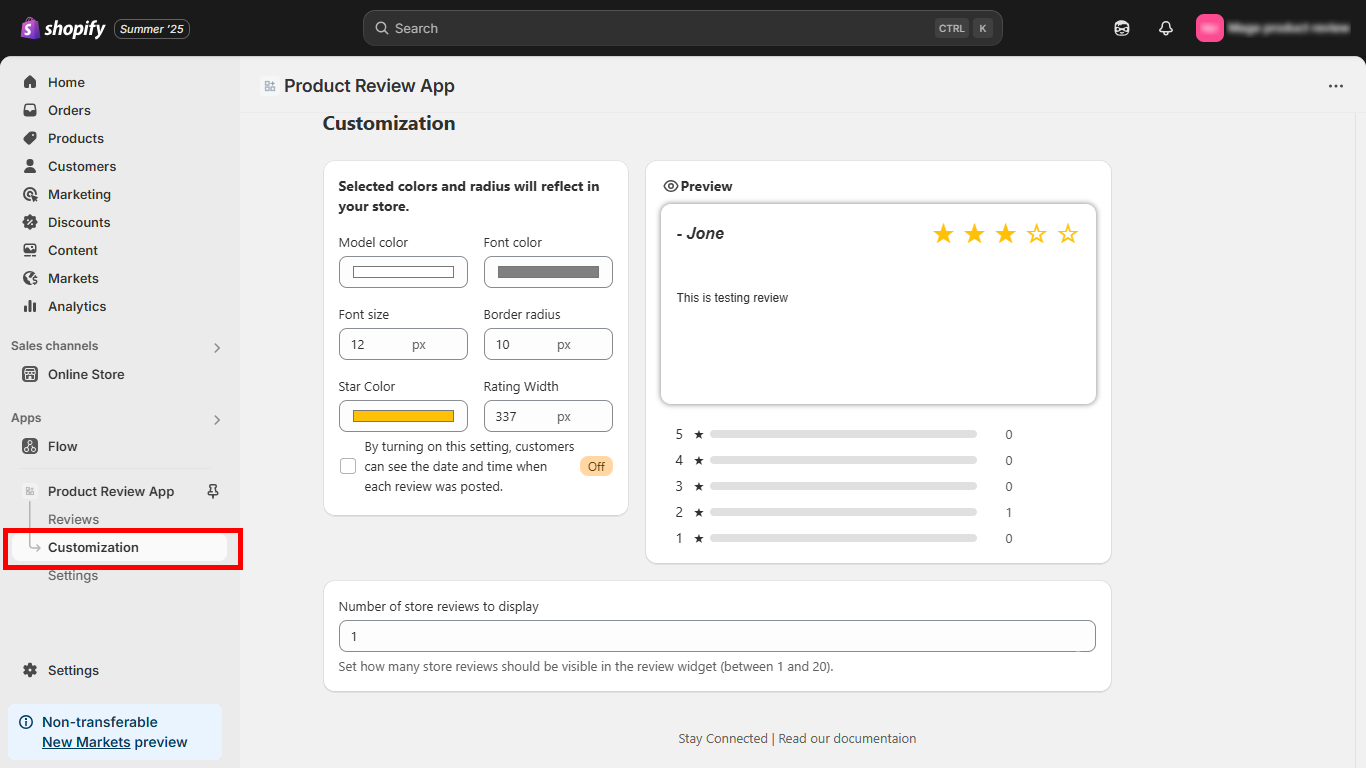
This is the section where merchants can customize the look of how they want to display the reviews of their product reviews.
* **Model color -** Select the color of the review box.
* **Font color -** Select the font color of the review.
* **Font size -** Set a font size for the review.
* **Border radius -** Set a radius for the review box.
* **Star color -** Select the color you want for your review stars.
* **Rating width -** Set a width for the ratings shown below the review box.
* **Number of store reviews to display -** Select a number, how many reviews you want to display on the webstore for your customers.
#### **How Customers Can Submit a Review on the Storefront**
Your storefront now offers a simple and user-friendly process for customers to submit product reviews. Below is the complete step-by-step flow:
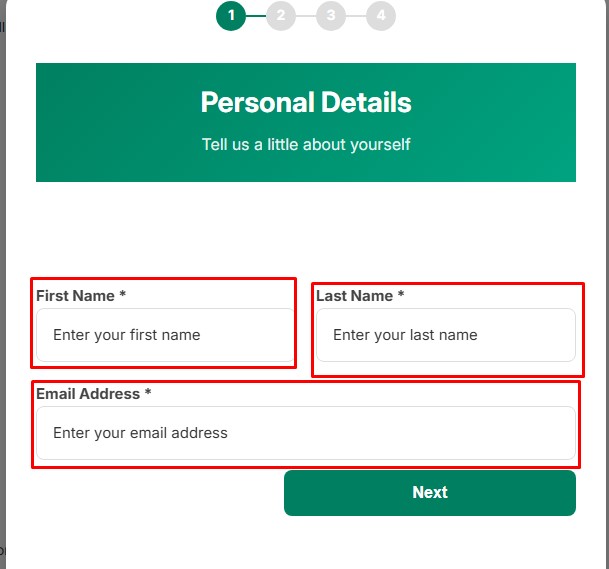
**Enter Basic Details**
* Customers begin by entering their first name, last name, and email address. This information helps verify the review and ensures authenticity.
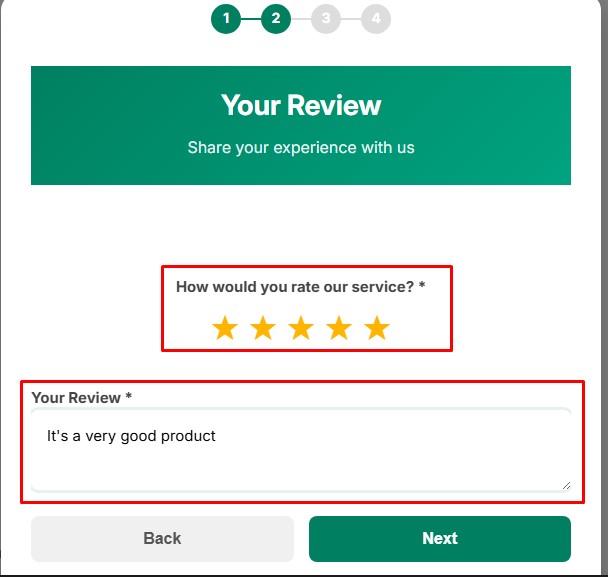
**Select Star Rating**
* They can then choose a star rating (1 to 5 stars) to share their overall experience with the product.
**Write the Review Content**
* Customers can add their written feedback, describing their experience, product quality, and satisfaction level.
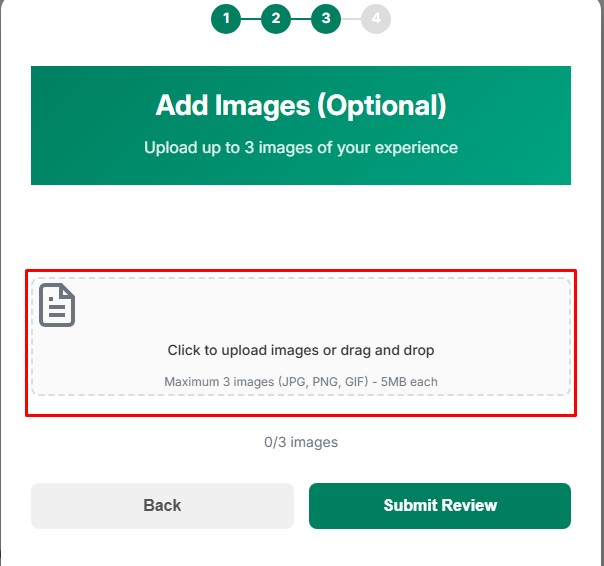
**Upload Review Images (Optional)**
* Your storefront now also allows customers to upload a maximum of three images along with their review.
This helps them share real product photos and adds more credibility to your store.
**Submit the Review**
* Once all details are filled in, customers can submit the review.
* The review, along with any uploaded images, will appear in the product’s review section after approval (if moderation is enabled).